Group rewards are one of the most reliable free-benefit paths in Deagle Arena while promo codes sit inactive in July 2026. Instead of typing a limited-time string, you join the official Deagle Arena Roblox group, meet any eligibility rules the developers set, and claim linked rewards through Roblox group systems or in-game prompts. This guide explains how that differs from How to Redeem Codes, what to expect after joining, and how to avoid fake group impersonators.
Return to the Codes Hub for promo status, or keep reading for the membership workflow that works even when no codes are live.
Why group rewards matter now
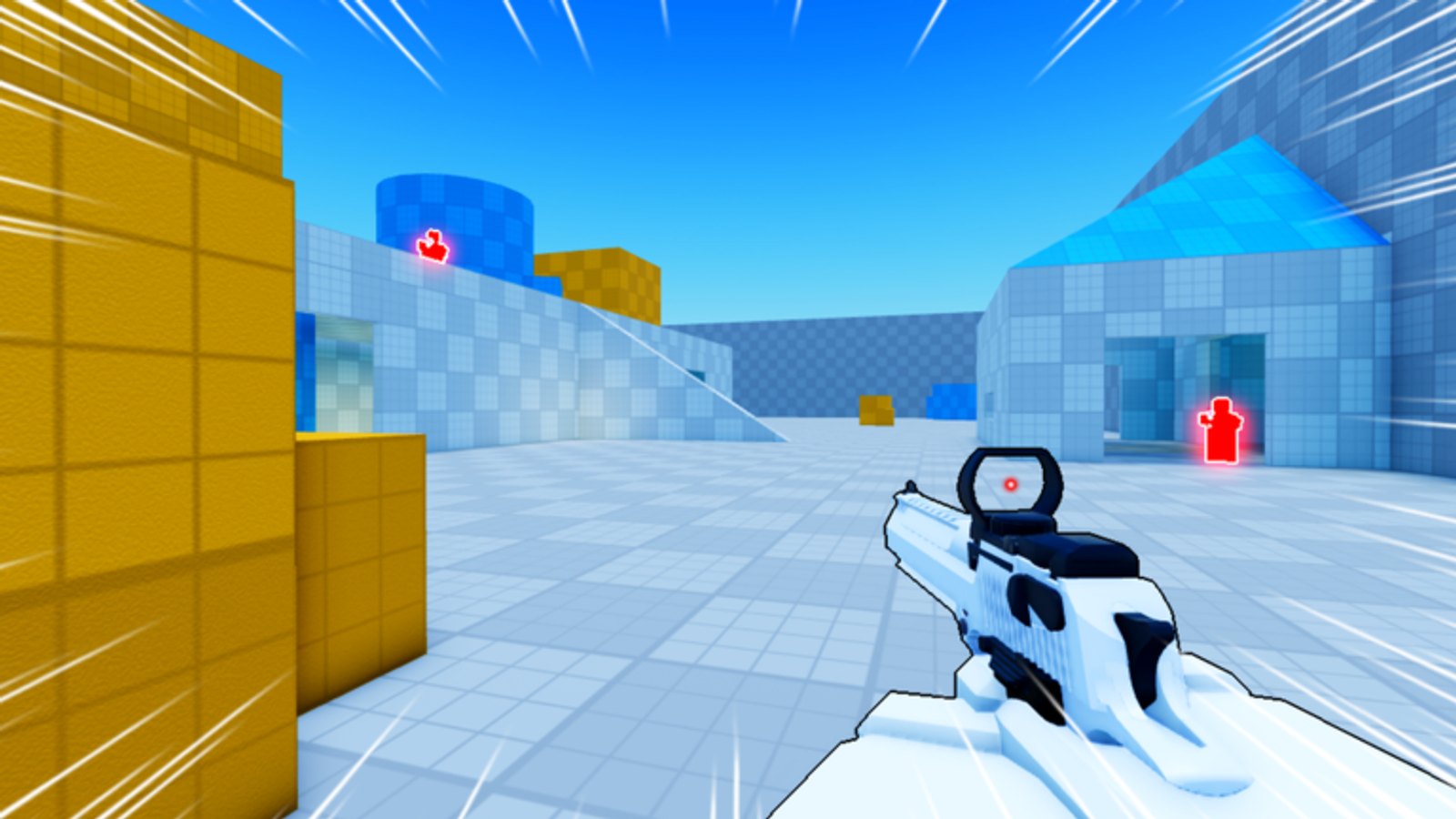
Deagle Arena is a free-to-play Roblox FFA deathmatch built around a single weapon fantasy — everyone fights with Deagle-style gunplay, slides across maps, and pushes for level, rank, skins, and leaderboard placement. Promo codes can accelerate cosmetics or grants, but developers do not always run them every month. Group membership is a longer-lived channel: studios use it for update pings, playtest access, small cosmetic drops, or one-time join gifts.
Because this wiki confirms no active promo codes for July 2026, group rewards are the honest recommendation for players hunting legitimate free value today.
Official group vs fake copies
Roblox search results sometimes surface copycat groups with similar names. Before you join, verify the link from Deagle Arena Discord or from an in-game prompt that deep-links the real group. Check the creator name, member count trend, and whether the description mentions the same place ID 84556640895285. Impersonator groups rarely maintain active announcements tied to patch days.
Never join a group that asks for your Roblox password or off-platform payment. Real group rewards flow through Roblox’s own join and claim mechanics.
Step-by-step: joining and claiming
Exact reward UI evolves with updates, but this sequence matches standard Roblox group flows for live shooters:
- Open the official Deagle Arena group page from Discord or the game’s social panel.
- Click Join Group while logged into the account you use for ranked play.
- If the group is locked behind requirements, read the description — some teams require a short waiting period or a minimum account age anti-abuse rule.
- Launch Deagle Arena after joining. Look for a Claim, Group Reward, or notification badge in the lobby.
- Alternatively, check the group’s Store or Affiliates section on Roblox for a free item grant.
- Confirm the reward in your avatar inventory or in-game skin locker, then rejoin a match to see cosmetics apply.
If nothing appears immediately, wait a few minutes and rejoin. Roblox group grants sometimes batch on the server side.
What rewards might include
Developers tune group perks over a game’s lifecycle. Deagle Arena may offer any combination of the following — always read the current group description rather than assuming a specific item:
- One-time join cosmetics such as a badge-linked skin or kill effect.
- Currency grants toward the skin shop or loadout variants.
- Early news about rank seasons, map rotations, or future code campaigns.
- Community events hosted through group announcements.
Group rewards are not a substitute for skill-based ranking, but they can save time on cosmetic grinds while you practice aim with M1 shoot, M2 aim, and C or Ctrl slide on PC.
Group rewards vs promo codes
Understanding both systems prevents wasted effort:
| Feature | Group rewards | Promo codes |
|---|---|---|
| Activation | Join official group | Type string in redeem UI |
| Typical limit | Once per account per perk | Often global use caps |
| July 2026 status | Available path | None active |
| Best source | Discord-linked group page | Codes Hub when live |
You can hold group membership and redeem future codes — they stack as separate systems. See How to Redeem Codes when the developers publish strings again.
Eligibility and troubleshooting
Common blockers when claiming group rewards:
- Wrong account — rewards bind to the profile that joined; alt accounts need their own join click.
- Pending membership — private groups approve manually; public groups are instant.
- Already claimed — many join gifts are one-time; revisiting the claim button shows an empty state.
- Outdated client — update Roblox before claiming so UI hooks register.
If the official group description lists a reward that fails for many players, report it in Discord with your platform (PC, mobile, console) so moderators can escalate to the dev team.
Staying updated after you join
Turn on Roblox notification settings for the group if you want mobile pings when announcements post. Pair that with Discord — patch notes often mention new group gifts the same day codes would appear on the Codes Hub. Rank grinders benefit twice: you catch meta shifts early and grab free cosmetics before lapsed members notice.
Fair play reminder
Group rewards are official benefits. Do not trade accounts or use stolen profiles to reclaim one-time gifts. Roblox moderation treats that like any other Terms of Use violation and can affect your ranked standing in Deagle Arena.
Related pages
- Codes Hub — honest promo code status for July 2026.
- How to Redeem Codes — redemption UI walkthrough when strings return.
- Guides Hub — movement, aim, and rank progression beyond free gifts.
Frequently Asked Questions
Quick answers for Deagle Arena players.
Does joining the Deagle Arena group give free rewards?
Yes, when the developers configure group perks. Check the official group description and in-game claim prompts for the current reward list.
Are group rewards available if promo codes are inactive?
Yes. Group membership is separate from promo codes and remains the best documented free path while July 2026 has no working code strings.
How do I find the real Deagle Arena Roblox group?
Use the link shared on Deagle Arena Discord or inside the game. Avoid similarly named groups with no official announcements.
Can I claim group rewards on mobile?
Yes. Join the group in the Roblox app or browser, launch Deagle Arena, and use the same claim flow as on PC.
Will future promo codes replace group rewards?
No. Codes and group perks can coexist. When codes return, redeem them using our how-to guide while keeping group membership for updates.